
Cartridge configuration
Configure HeyLight site preferences, payment products, services and the reconciliation job
Configure the HeyLight site preferences, payment products, service credentials and the reconciliation job in Business Manager, then set up logging and caching.
1. Site preferences
The cartridge adds its own custom site preference groups. You can review them at Merchant Tools > Site Preferences > Custom Site Preference Groups.
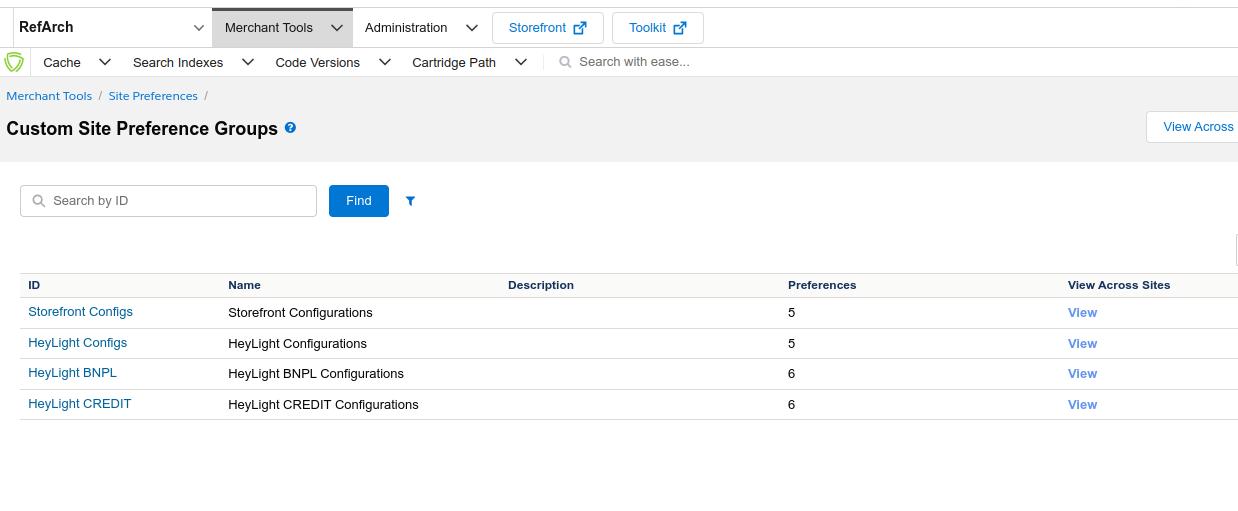
The HeyLight custom site preference groups
Open Merchant Tools > Site Preferences > HeyLight Configurations and set the following:
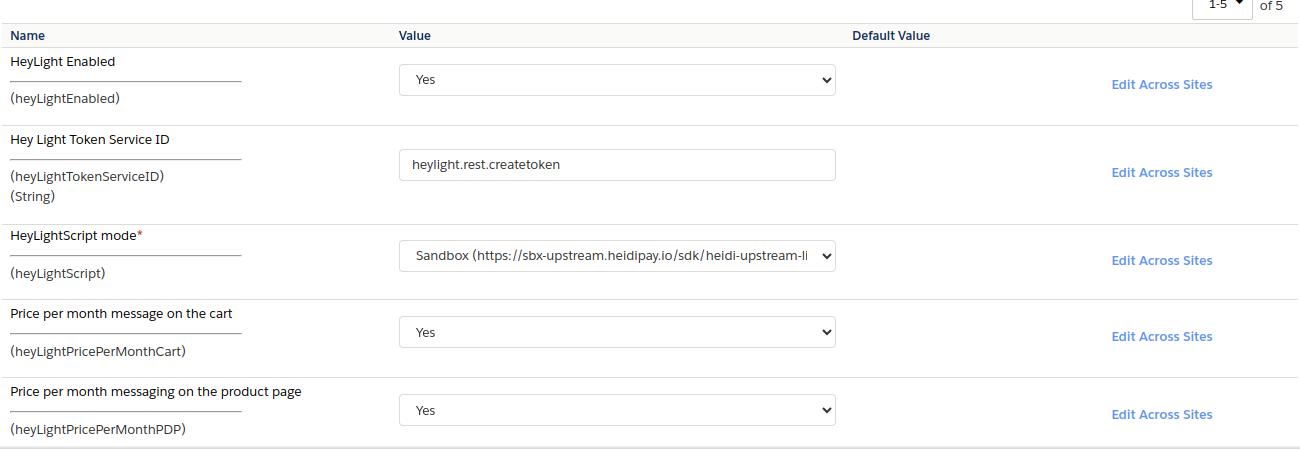
HeyLight Configurations
| Preference | Description |
|---|---|
| HeyLight Enabled | Enable / disable HeyLight. |
| HeyLight Token Service ID | The token service ID (e.g. heylight.rest.createtoken). |
| HeyLight mode | Load the library script from sandbox or production. |
| Price per month message on the cart | Enable / disable the price-per-month component on the cart page. |
| Price per month messaging on the product page | Enable / disable the price-per-month component on the PDP. |
2. BNPL configuration
Merchant Tools > Site Preferences > Custom Site Preference Groups > HeyLight BNPL Configurations
| Preference | Description |
|---|---|
| HeyLight Merchant api key | API key. |
| HeyLight Logo variant | Logo colour variant. |
| HeyLight minimum order amount | Minimum order amount. |
| HeyLight maximum order amount | Maximum order amount. |
| Min Installment Price Component | The price component is displayed if there is an instalment with a higher value. |
| Number of monthly instalments | The "terms". Multi-select: 2, 3, 4, 5, 6, 7, 8, 9, 10, 11, 12. |
3. CREDIT configuration
Merchant Tools > Site Preferences > Custom Site Preference Groups > HeyLight CREDIT Configurations
| Preference | Description |
|---|---|
| HeyLight Merchant api key | API key. |
| HeyLight Logo variant | Logo colour variant. |
| HeyLight minimum order amount | Minimum order amount. |
| HeyLight maximum order amount | Maximum order amount. |
| Min Installment Price Component | The price component is displayed if there is an instalment with a higher value. |
| Number of monthly instalments | The "terms". Multi-select: 12, 24, 36. |
4. Service credentials
Go to Administration > Operations > Services > Service Credentials. API docs: api_checkout_v1_init_create.
| Credential | Sandbox URL | Production URL |
|---|---|---|
heylight.rest.createtoken.cred | https://sbx-origination.heidipay.io/auth/v1/generate/ | https://origination.heidipay.com/auth/v1/generate/ |
heylight.rest.checkout.cred | https://sbx-origination.heidipay.io/api/checkout/v1/init/ | https://origination.heidipay.com/api/checkout/v1/init/ |
Forheylight.rest.createtoken.cred, set the Password to your HeyLight merchant Private API Key.
5. Reconciliation job
The cartridge ships with the job HeyLightPayUpdateCreatedOrders. It completes orders where the customer paid through HeyLight but did not return to the storefront (e.g. lost connection or a closed browser), so payment and order status stay in sync.
- At Administration > Operations > Jobs, enable the job and assign it to the desired site scope.
- Set the parameter
fetchStatusDelay— the delay in minutes after which the HeyLight order status can be checked. - Add a schedule. Recommended: every 15 minutes.
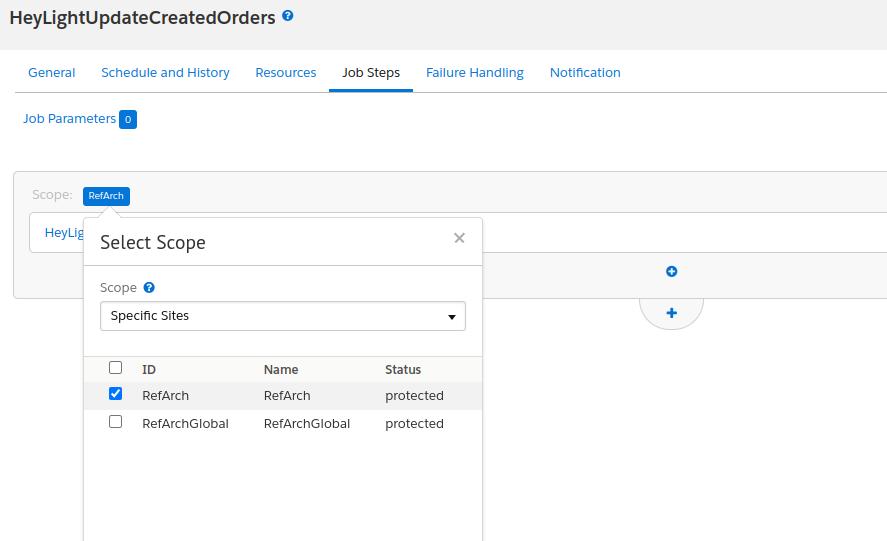
Assigning the job to a site scope
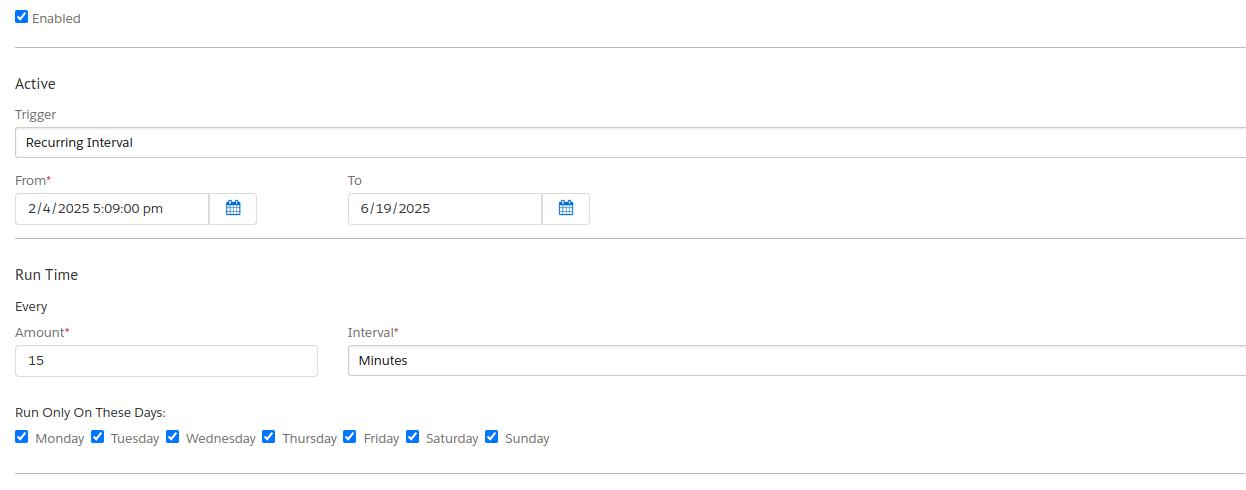
A recurring 15-minute schedule
6. Operations & maintenance
Logging
At Administration > Operations > Custom Log Settings you can enable INFO logs for the heylight category for all HeyLight API operations while debugging.
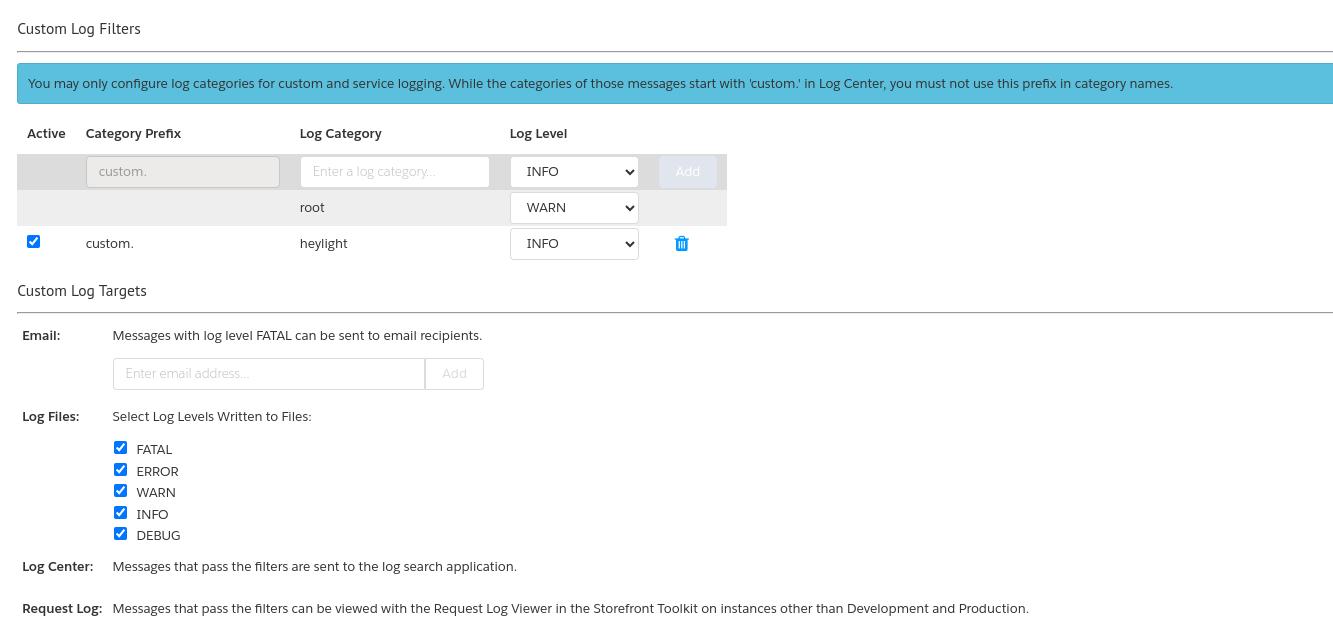
Enabling INFO logging for the heylight category
On production, disable this or set the log level toERRORafter debugging to prevent uncontrolled growth of log files.
Custom cache
At Administration > Operations > Custom Caches, the HeyLightAuthToken cache stores the auth token for 8 hours (28,800 seconds). If the API key changes, clear this cache manually.
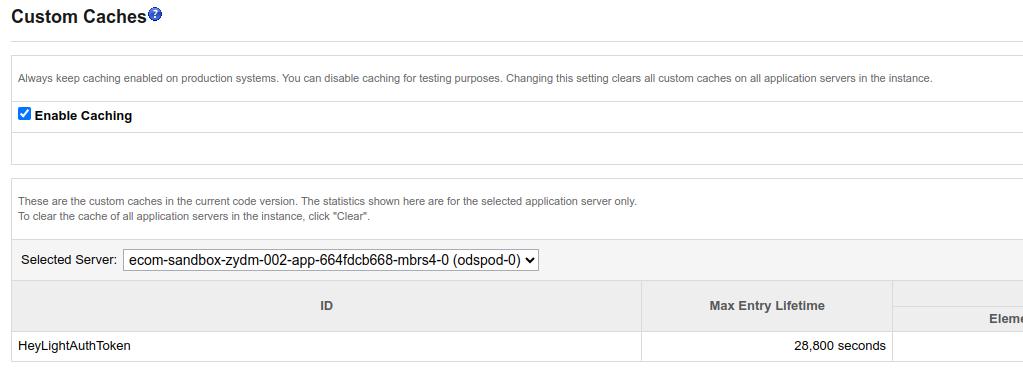
The HeyLightAuthToken custom cache (28,800 seconds = 8 hours)
7. API reference
The cartridge communicates with the HeyLight origination API. Full reference: docs.heylight.com/reference.
| Environment | Base URL |
|---|---|
| Sandbox | https://sbx-origination.heidipay.io |
| Production | https://origination.heidipay.com |
| Endpoint | Purpose |
|---|---|
/auth/v1/generate/ | Acquire a token to make authenticated requests. |
/api/checkout/v1/available/ | Check whether HeyLight can pay for the current cart (amount + currency). |
/api/checkout/v1/init/ | Initiate a checkout session; the response includes the redirect URL to HeyLight. |
/api/checkout/v1/status/ | Fetch order status; the order is successful when the status is performing. |
Updated 3 months ago